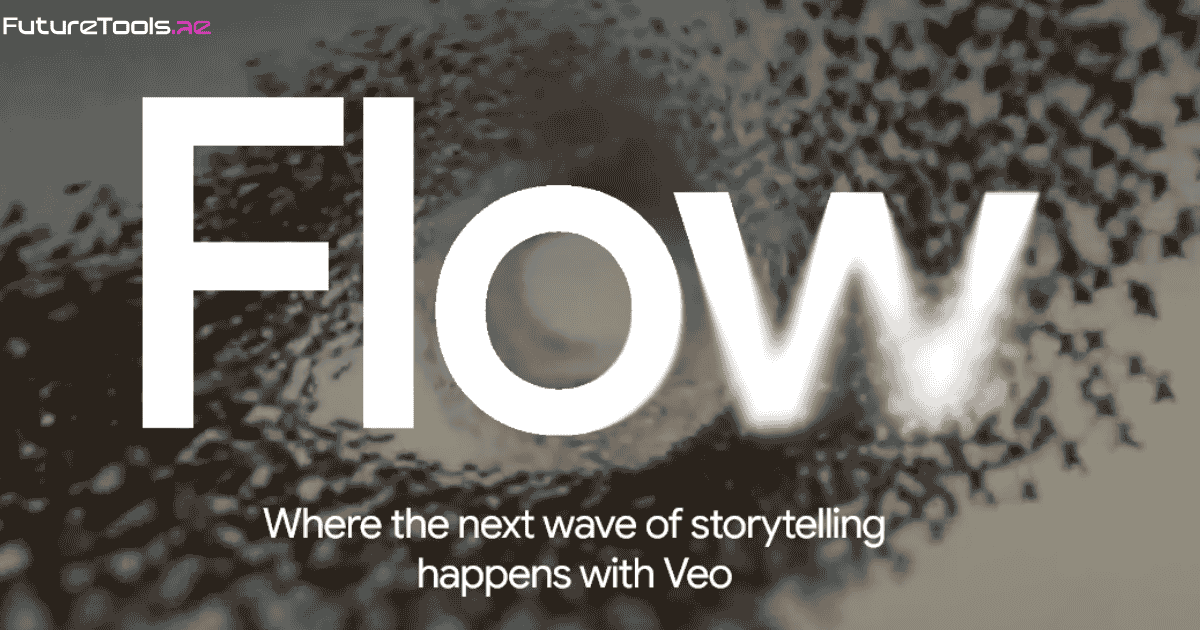
Generative video models are exploding. OpenAI’s Sora can already produce up‑to‑a‑minute, highly realistic clips from text descriptions, while Google recently released Veo 3.1, capable of generating eight‑second clips at 720p, 1080p or even 4K resolution. Instead of competing head‑on with long‑form models, Google has wrapped its video engine inside a user‑friendly tool called Flow and it is available in over 149 countries. As soon as I saw the headline “This is Canva energy, but for video people”, I knew something was different. Canva transformed graphic design through simplicity and smart templates; Flow aims to do the same for video creators.
Until now, most text‑to‑video tools were experimental or restricted to small groups of beta testers. Flow’s expansion marks one of the first times a generative video model is being made widely available inside a productivity suite. It signals that AI‑driven video creation is moving from research labs into everyday workflows for marketers, educators and businesses.
Flow is more than a front‑end for Veo. The Veo 3.1 model creates the raw clips, while Flow layers editing features and a collaborative interface. Here’s how they stack up:
| Feature | Veo 3.1 Capabilities | Flow Enhancements |
|---|---|---|
| Video length | Up to 8 seconds per generation | Clips can be stitched into longer scenes within the interface |
| Resolution | Supports 720p, 1080p and 4K (with upscaling) | Users can export 16:9 or 9:16 vertical videos |
| Aspect ratios | 16:9 (landscape) or 9:16 (vertical) | Simple templates for YouTube Shorts, Reels and TikToks |
| Audio generation | Native synced audio with dialogue and sound effects | Audio can be generated during image-to-video, scene transitions and clip extensions |
| Image-to-video | Up to 3 reference images or one style image | Integrated workflow—upload an image and Flow builds video plus sound |
| Narrative control | Understands cinematic styles to maintain story consistency | Tools to adjust lighting, change camera angles and insert or remove objects |
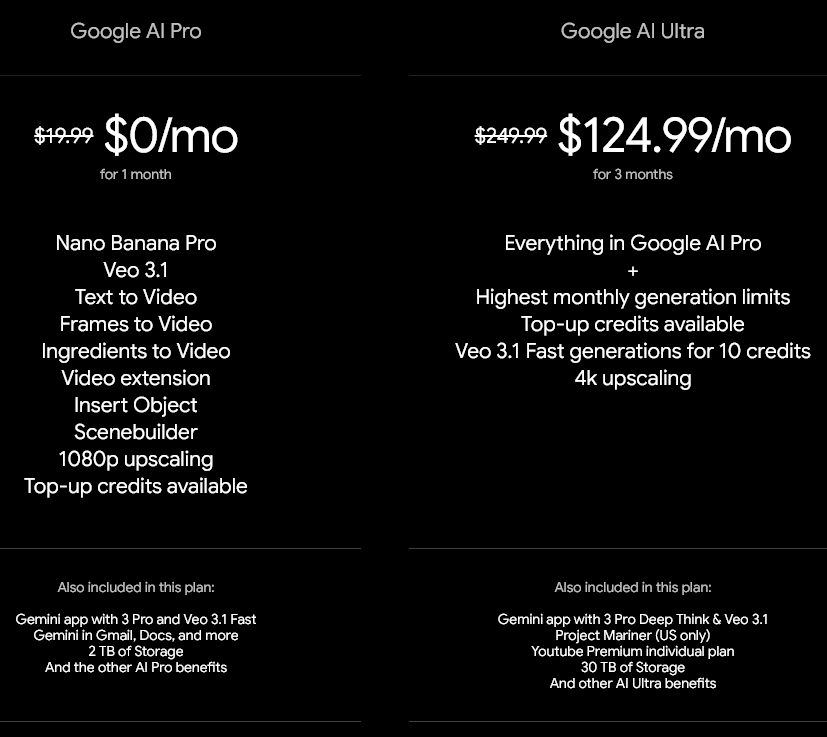
Flow’s key innovation is accessibility. According to Mindstream, Flow was previously limited to AI Pro and AI Ultra subscribers but is now available to Business, Enterprise and Education Workspace plans. The Verge confirms that this expansion makes Flow accessible to a much broader audience. A built‑in editor allows users to stitch eight‑second clips together, adjust lighting or camera angles and even remove objects. Think of it like Canva’s drag‑and‑drop interface, but instead of static graphics you’re composing moving scenes.
The addition of vertical video support means Flow can export clips in portrait format for TikTok, Instagram Reels or YouTube Shorts. This mirrors social‑media trends, ensuring content creators don’t need to crop or reformat videos after generation.
One of Flow’s most surprising upgrades is audio integration. Google has woven audio generation into multiple parts of Flow so that users can generate sound when creating clips from images, adding transitions or extending scenes. This integration eliminates the need to source royalty‑free tracks separately. Flow also incorporates Nano Banana Pro, Google’s AI image generator, which can create characters or starting visuals. By combining image, audio and video generation in a single workflow, Flow embodies Canva’s ethos of creative empowerment.
Under the hood, Google offers two Veo 3.1 variants: Fast and Standard. A recent comparative analysis highlights their differences. The Fast model generates an eight‑second video in roughly 1 minute 13 seconds and costs about $0.15/sec, making it ideal for rapid prototyping or batch production. The Standard model takes around 2 minutes 41 seconds to generate a clip but delivers richer detail and smoother motion, suitable for high‑end adverts and film projects. Both versions support the same resolutions, aspect ratios and audio features.
It’s impossible to ignore OpenAI’s Sora in this conversation. Sora can generate videos up to one minute long, significantly longer than Veo 3.1’s eight seconds. However, Sora remains limited to select testers and hasn’t yet been integrated into a mainstream productivity suite. Flow trades length for accessibility: users can stitch many short clips into longer scenes using an intuitive editor. For many creators, especially those producing short‑form content, Flow’s approach may be more practical than waiting for Sora’s wider release.
Marketers and content creators can quickly prototype ads, product videos and social posts, taking advantage of vertical video support to repurpose content across multiple platforms. Educators can transform complex subjects into visual narratives; Google’s Workspace update points out that Flow helps bring curriculum to life by turning natural‑language prompts into cinematic scenes. Small businesses and startups can create professional‑looking videos without hiring a production team.
Credit: Google Flow Pricing
Google’s commitment to iterating Flow quickly is evident. Vertical video support was added just days after Flow became broadly available, and audio features were expanded across the tool. With competitors like OpenAI’s Sora pushing towards longer and more physically accurate clips, expect Google to continue upgrading Veo and Flow. Rumours of 16‑second generation capabilities and more advanced editing controls are swirling in developer forums.
Flow is one of the first AI‑video tools to marry powerful generative models with a Canva‑like interface. By expanding access to Business, Enterprise and Education Workspace users and integrating audio and image generation, Google is democratizing video creation. For creators, educators and marketers alike, Flow’s eight‑second clips might be the perfect building blocks for the next viral video.
Looking for more AI video tools? Check out our round‑up of the best AI video generators and our deep dive into Veo 3.1’s 4K update (external). Stay tuned to FutureTools for more hands‑on reviews and tutorials!